How to Create & Assign Template in Single SKU Build Box Product?
A build box bundle creates a Product in Shopify so that you need to assign the "th_buildbox" product template to the product created through our app. We have mentioned the steps to create & assign build box template below.
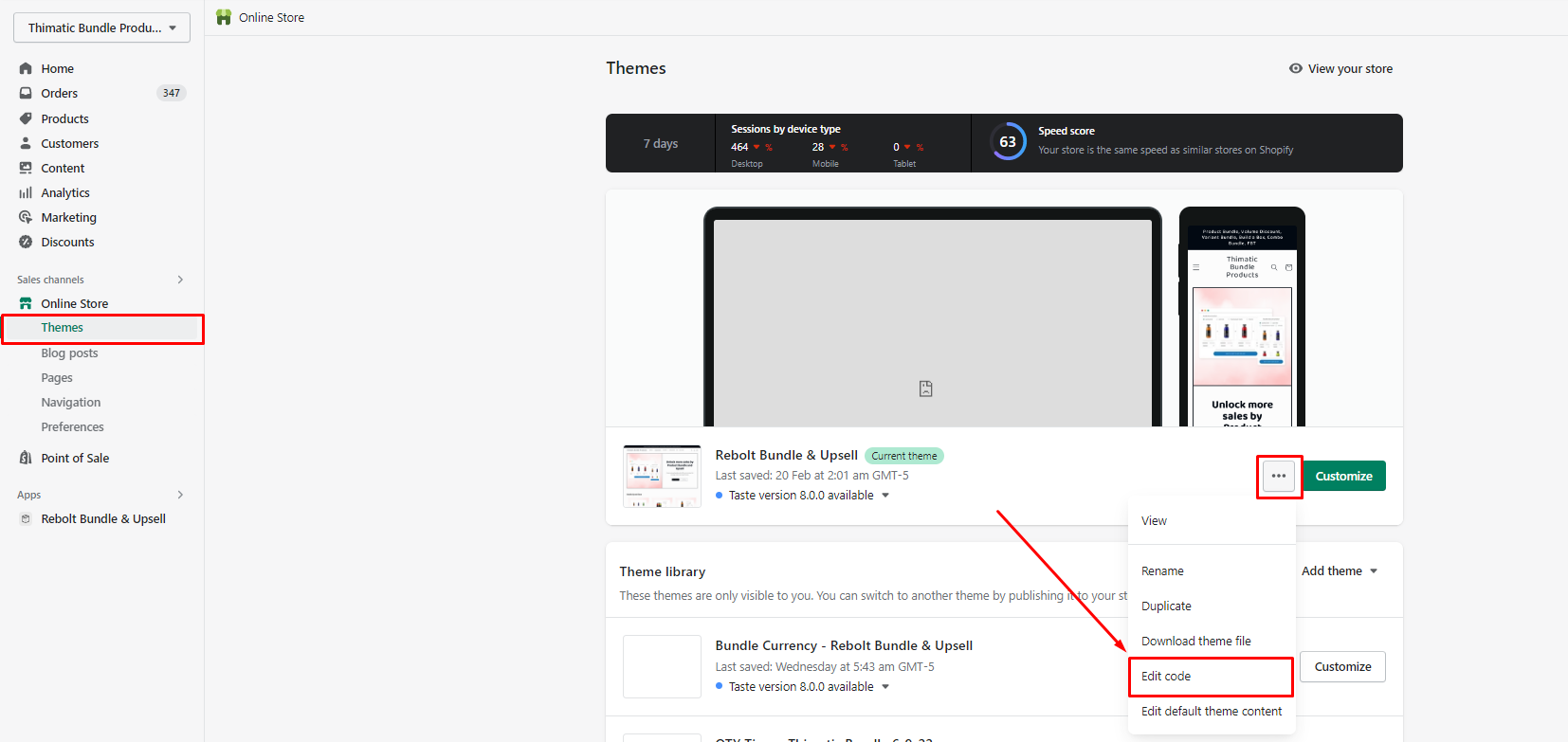
1. Go to the Theme section >> and click on Edit Code option.
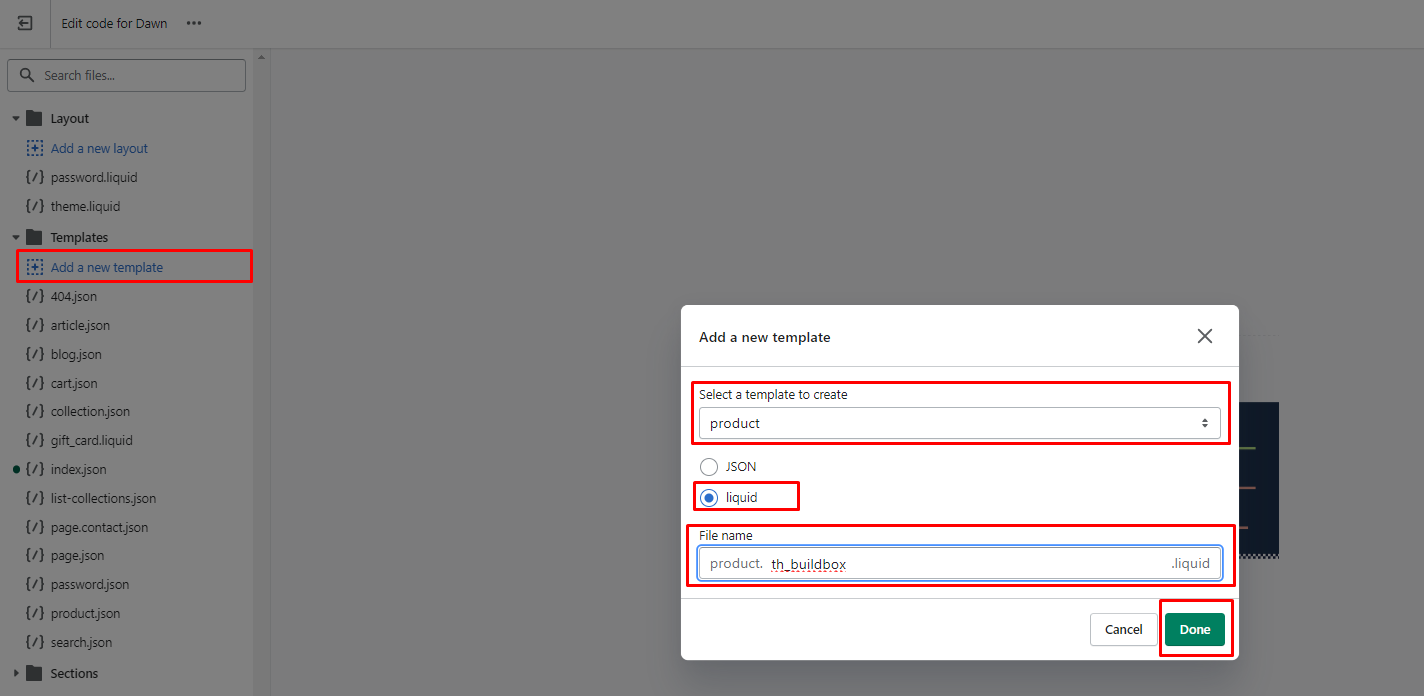
2. Open the Template section >> click on "Add a new template" >> Select "Product" in template >> Select "Liquid" >> add the file name "th_buildbox" same as below screenshot.
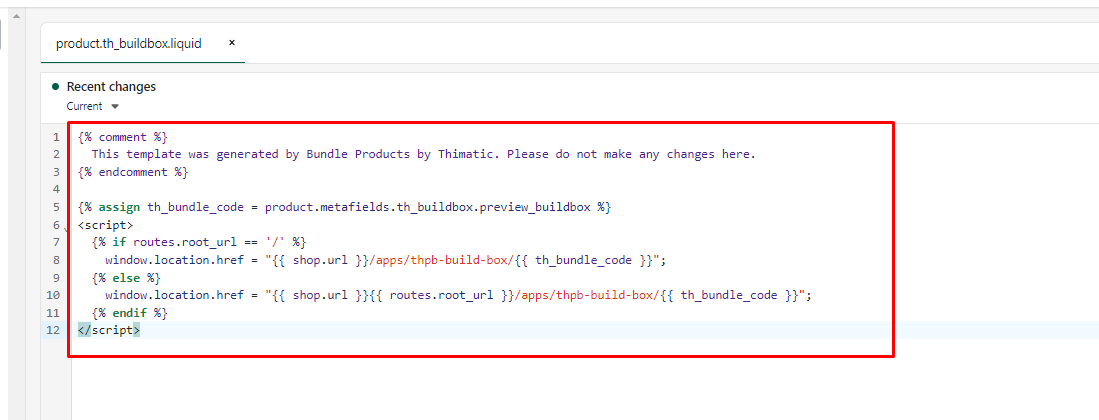
3. Add the below code to the created product.th_buildbox template like the below screenshot.
{% comment %}
  This template was generated by Bundle Products by Thimatic. Please do not make any changes here.
{% endcomment %}


{% assign th_bundle_code = product.metafields.th_buildbox.preview_buildbox %}
<script>
   window.location.href = "{{ shop.url }}{{ routes.root_url }}apps/thpb-build-box/{{ th_bundle_code }}";
</script>
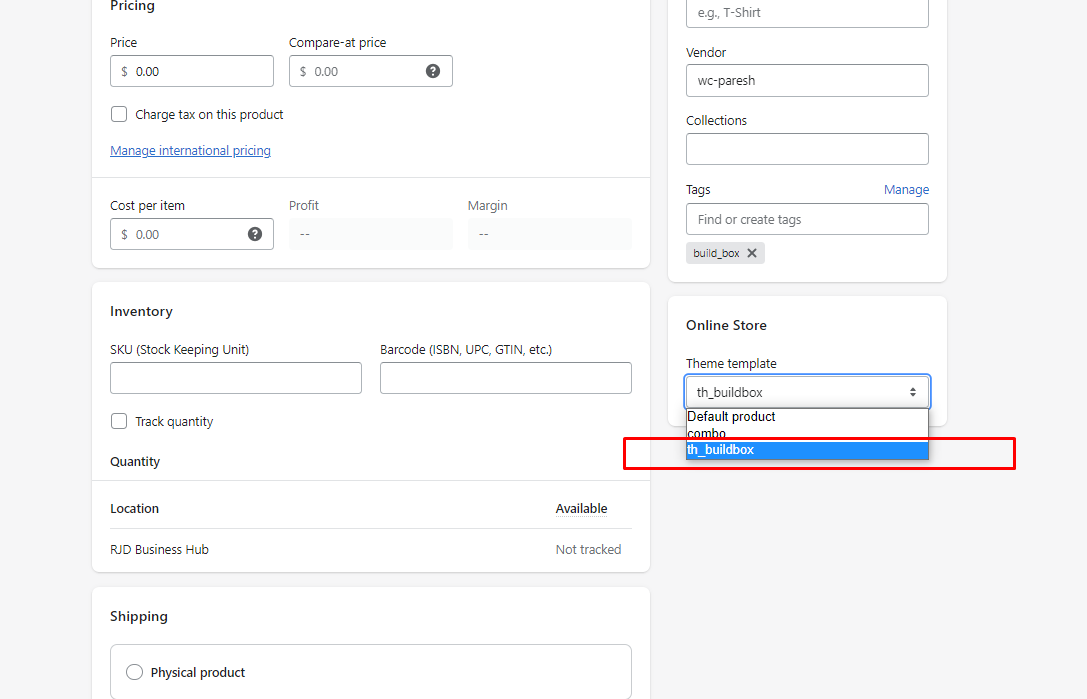
4. Open the product that is created in Shopify for the build box bundle and assign the "th_buildbox" template.
If you face any issue for the installation then feel free to contact our support team at support@bristm.com, we are always happy to help you.